Staying organised can be challenging when daily responsibilities continue to grow. Work projects, personal commitments, meetings and deadlines can quickly become difficult to manage without a clear system. Task organization programs provide a practical way to bring these responsibilities together, helping users plan activities, set priorities and keep track of progress without relying on scattered notes or memory.
Modern professionals increasingly depend on digital productivity tools to maintain an efficient workflow. Whether you work independently, study, manage a business or collaborate with a team, the right task management solution can simplify your routine. By organising important information in one accessible place, these programs can help reduce distractions and make each working day more structured.
What Are Task Organization Programs?
Task organization programs are digital applications designed to help people create, arrange, monitor and complete tasks. They can replace traditional to-do lists while offering additional features such as deadlines, reminders, categories, recurring activities and progress tracking. Some platforms also allow users to divide large projects into smaller actions, making complicated responsibilities easier to approach.
The main purpose of these programs is to provide a central location for managing responsibilities. Instead of keeping information across notebooks, emails and separate applications, users can organise everything within a single system. This makes it easier to understand what needs attention, when it should be completed and which activities deserve the highest priority.
Key Features to Look for in Task Organization Programs
A useful task management application should provide more than a simple checklist. Important features include task priorities, due dates, reminders, recurring tasks, subtasks and categories. These functions allow users to structure their workload according to urgency and importance. Search and filtering tools are also valuable when a task list becomes larger and more complex.
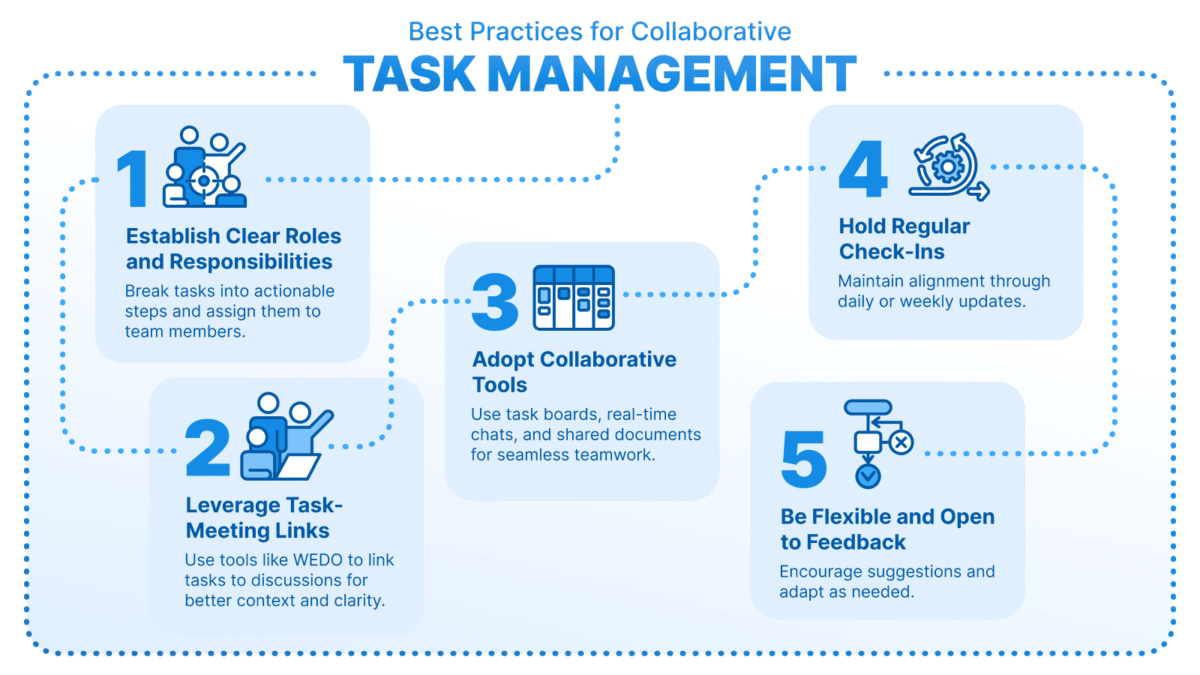
Collaboration features can be equally important for professional users. Shared projects, task assignments, comments, notifications and file attachments can help teams work towards common objectives. Calendar integration and connections with email or communication platforms can further streamline daily activities. Choosing a program with the right combination of features can make organisation easier without creating unnecessary complexity.
How Task Organization Programs Improve Productivity
One of the biggest advantages of task management software is improved visibility. When responsibilities are clearly displayed, users can quickly see upcoming deadlines and unfinished work. This reduces the chance of forgetting important activities and makes it easier to plan the day realistically. A structured task list can also provide a greater sense of control over a busy schedule.
Task organization programs can also encourage better prioritisation. Rather than treating every responsibility as equally important, users can identify urgent tasks and focus their attention accordingly. Breaking larger projects into smaller steps creates achievable milestones and makes progress easier to measure. Over time, this approach can support more consistent productivity and reduce the stress associated with an overloaded workload.
Best Task Organization Programs for Different Needs

Different users have different organisational requirements, so there is no single solution that works perfectly for everyone. Individuals may prefer a straightforward application with quick task creation, reminders and calendar features. Freelancers may need tools that combine client projects, deadlines and personal responsibilities, while students can benefit from systems that organise assignments, revision sessions and important dates.
Businesses and professional teams often require more advanced capabilities. Shared workspaces, task assignments, project views, progress monitoring and integrations can make collaboration much easier. People managing complex projects may also benefit from boards, timelines and detailed reporting. The best choice should therefore be based on the user’s workflow rather than simply selecting the programme with the largest feature list.
Free vs Paid Task Organization Programs
Many task management platforms offer free plans that provide basic features such as task creation, reminders and simple organisation. These options can be suitable for individuals who have relatively straightforward requirements. A free plan is also a useful way to test whether an application fits your working style before spending money on additional features.
Paid plans generally introduce more advanced functionality, including larger collaboration limits, automation, additional integrations, detailed reporting and expanded storage. However, upgrading is not always necessary. Users should consider the number of projects they manage, the size of their team and the features they genuinely need. Paying for unused functionality can add unnecessary costs without improving productivity.
How to Choose the Right Task Organization Program
Start by identifying the problems you want the software to solve. If missed deadlines are your main concern, prioritise reminders and calendar integration. If collaboration is important, look for shared workspaces, assignments and communication features. Users managing multiple projects may need advanced filtering, dashboards and project views to maintain visibility across different responsibilities.
Ease of use should also influence your decision. A powerful application can become counterproductive if it takes too much time to maintain. Check whether the program works across your preferred devices and integrates with tools you already use. Pricing, privacy, security, customer support and scalability should also be considered before making a long-term commitment.
How to Organise Tasks Effectively Using These Programs
Good software can improve organisation, but the way you use it matters just as much. Begin by creating clear tasks that describe specific actions rather than vague goals. For example, instead of writing “work on project”, create smaller tasks that explain exactly what needs to be completed. This makes each item easier to understand and creates a clear path towards completion.
Regular reviews can keep your task list useful and manageable. Remove completed activities, update changing deadlines and reconsider priorities when circumstances change. Recurring tasks can handle routine responsibilities automatically, while categories and labels can separate personal, professional or project-based work. A simple and consistent system is usually more effective than an unnecessarily complicated one.
Common Mistakes to Avoid When Using Task Management Software
A common mistake is creating an enormous list without deciding what deserves attention first. A long collection of unchecked tasks can become overwhelming instead of helpful. Users should prioritise important responsibilities and remove tasks that no longer matter. It is also important to create realistic deadlines rather than filling every day with more work than can reasonably be completed.
Another problem is spending too much time managing the system itself. Constantly changing categories, reorganising lists or experimenting with features can become a distraction. Choose a straightforward structure and use it consistently. The purpose of task management software is to support productivity, not become another project that requires constant maintenance.
Task Organization Programs for Team Collaboration
Teams can use task management platforms to create greater clarity around responsibilities. Managers can assign work to specific people, set deadlines and monitor progress, while team members can see what they need to complete. Shared information reduces the need for repeated status updates and can make project communication more transparent.
Collaboration tools can also support remote and hybrid working environments. Team members can access project information from different locations and stay aligned with changing priorities. Comments, attachments and notifications help keep important discussions connected to individual tasks. When used correctly, these systems can improve accountability while giving employees greater visibility over their responsibilities.
Future Trends in Task Organisation Software
Artificial intelligence is becoming an increasingly important part of productivity software. Future task management platforms may automatically identify priorities, suggest deadlines, summarise project progress and recommend suitable schedules. Automation can also reduce repetitive administrative activities, allowing users to spend more time on creative and strategic work.
Integration is another important direction for the industry. Task management platforms are increasingly expected to connect with calendars, email, communication systems and other workplace applications. These connections can create smoother workflows by reducing the need to repeatedly enter the same information. As technology develops, task organisation is likely to become more personalised, automated and responsive to individual working habits.
Conclusion: Choosing the Best Task Organization Program
Task organization programs can turn an overwhelming collection of responsibilities into a clearer and more manageable workflow. From simple personal to-do lists to advanced team project systems, these tools provide different ways to organise tasks, manage deadlines and monitor progress. The key is finding a platform that matches your actual requirements rather than choosing one simply because it offers the most features.
Before making a decision, consider usability, essential features, device compatibility, collaboration options, integrations and pricing. A well-designed system can save time and provide greater control over everyday responsibilities, but consistent use remains essential. When the right programme is combined with sensible planning and prioritisation, staying organised becomes a much more achievable part of everyday life.
Frequently Asked Questions About Task Organization Programs
What are task organization programs?
Task organization programs are digital tools that help users create, organise, prioritise and track tasks. They commonly include features such as deadlines, reminders, categories, subtasks and progress tracking.
What are the main benefits of task organization programs?
They can improve organisation, reduce forgotten deadlines, support prioritisation and provide a clearer overview of daily responsibilities. They can also help teams coordinate projects and monitor progress.
Are task organization programs suitable for small businesses?
Yes. Small businesses can use them to assign responsibilities, manage projects, monitor deadlines and improve collaboration without relying on lengthy email conversations or scattered documents.
Are there free task organization programs?
Yes. Many platforms provide free versions with basic task management features. Users with more advanced requirements may choose paid plans that include additional collaboration, automation and integration capabilities.
What features should I look for in a task organization program?
Look for features that match your workflow, such as task priorities, reminders, deadlines, subtasks, recurring tasks, search tools, calendar integration and collaboration features.
Can task organization programs help with time management?
Yes. They can support time management by helping users prioritise activities, set deadlines, schedule responsibilities and identify unfinished work. Combining task planning with calendar scheduling can make this approach even more effective.
Are task organization programs useful for remote workers?
They can be particularly useful for remote workers because tasks, deadlines, files and project updates can remain accessible from different locations. Shared workspaces can also improve communication between distributed team members.
How do I choose the best task organization program?
Start by identifying your main requirements, then compare ease of use, features, integrations, device compatibility, pricing and collaboration options. Testing a free plan or trial can help you determine whether the platform suits your workflow.
Can task organization programs use AI?
Many modern productivity platforms are introducing AI-powered capabilities. These may include task suggestions, automated summaries, prioritisation assistance, scheduling recommendations and workflow automation.
What is the difference between a task organisation programme and a project management tool?
Task management programmes generally focus on organising individual responsibilities, while project management tools often provide broader features for complex projects, including timelines, team coordination, resource planning and progress reporting.