Choosing the right Linux system can feel confusing because there are hundreds of distributions available, each offering different features, desktop environments and update policies. Understanding how they work makes the decision much easier. Whether you are a beginner, developer, gamer or server administrator, the right distribution can improve performance, security and everyday usability.
Linux is valued for its flexibility, open-source nature and wide range of customisation options. However, not every distribution is designed for the same audience. Some prioritise simplicity, while others focus on advanced configuration, enterprise stability or lightweight performance. Learning what separates different Linux kernel distributions can help you select an operating system that fits your hardware and computing goals.
What Are Linux Kernel Distributions?
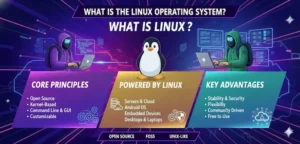
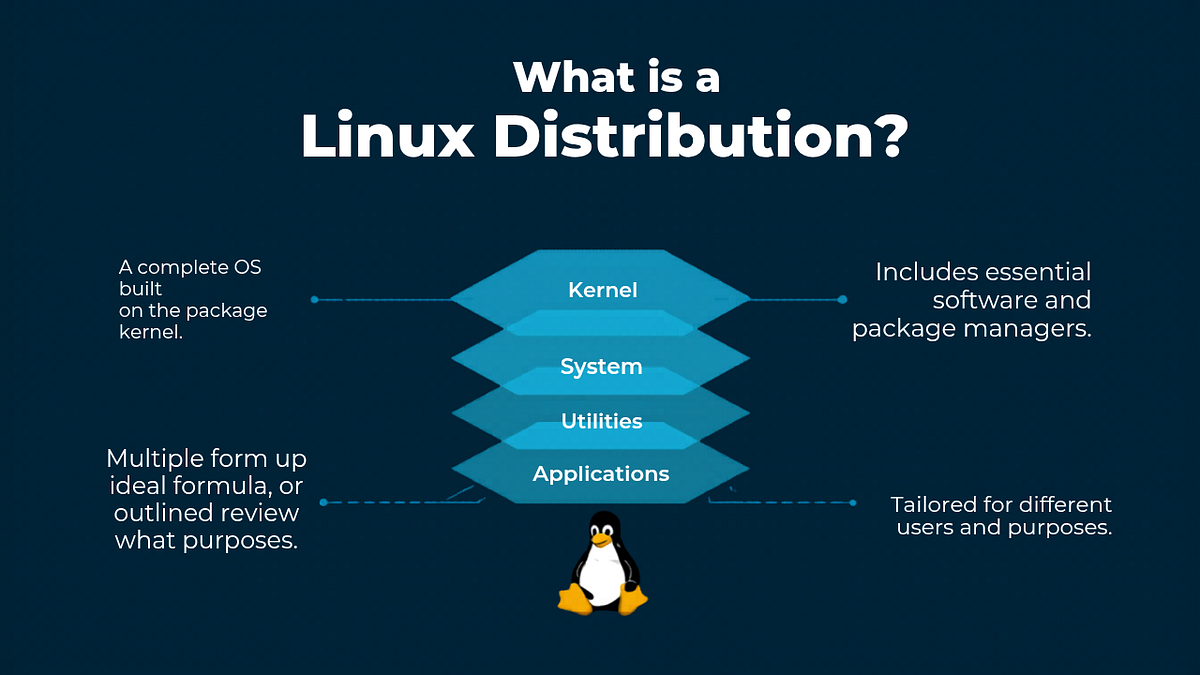
Linux kernel distributions are complete operating system packages built around the Linux kernel. The kernel manages essential tasks such as memory, processors, hardware communication and system resources. A distribution adds other components, including system utilities, package managers, applications and often a graphical desktop environment, creating a complete operating system for everyday use.
Although many distributions use the same Linux kernel, their experiences can be dramatically different. Developers select different software repositories, update schedules, configuration tools and desktop environments. This is why one Linux system may feel extremely simple, while another can offer extensive control. Understanding these differences is the first step towards choosing a suitable Linux environment.
How Linux Kernel Distributions Differ
One major difference between distributions is the way software is installed and maintained. Debian-based systems commonly use the APT package manager, while Red Hat-based systems use tools associated with RPM packages. Arch-based systems follow another approach. These package management systems determine how applications, libraries and updates are obtained and maintained.
Release models also influence the user experience. Some distributions use scheduled releases designed to provide stability and predictable maintenance, while rolling-release systems continuously deliver newer software. Desktop environments create another important distinction. GNOME, KDE Plasma, Xfce and Cinnamon can provide different interfaces, resource requirements and customisation options, allowing users to select an environment that feels comfortable.
Key Factors to Consider When Choosing a Linux Distribution
Hardware compatibility should be one of the first considerations when choosing a Linux system. Check whether your graphics card, Wi-Fi adapter, printer and other devices work properly. A distribution that runs beautifully on one computer may require additional configuration on another. Testing hardware before installation can prevent frustrating driver problems and compatibility issues.
You should also consider software availability, security support and ease of use. Beginners may prefer graphical tools and extensive documentation, while experienced users might value flexibility and command-line control. Long-term support can be particularly important for business computers and servers. Your ideal choice should balance performance, reliability, software access and the amount of configuration you are comfortable managing.
Best Linux Kernel Distributions for Beginners

New Linux users generally benefit from a distribution that offers a straightforward installation process, reliable hardware detection and clear documentation. A familiar desktop environment can make the transition from Windows or macOS considerably easier. Software centres and graphical update tools can also reduce the need to use terminal commands for routine tasks.
Linux kernel distributions aimed at beginners often focus on providing a polished experience without requiring extensive technical knowledge. This does not mean beginners cannot explore advanced features later. Starting with a stable and user-friendly system allows new users to learn gradually, understand Linux fundamentals and eventually experiment with more specialised distributions when their confidence grows.
Linux Distributions for Developers and Advanced Users
Developers often need reliable access to programming languages, compilers, development libraries, version-control tools and container technologies. A strong package repository can make setting up a development environment considerably easier. Developers may also appreciate distributions that provide flexible configuration options and frequent access to modern software packages.
Advanced users may prefer systems that provide greater control over how software and services are installed. Rolling-release distributions can be attractive when having newer packages is important, although frequent updates may require more attention. The best option depends on whether the priority is cutting-edge software, maximum stability, easy maintenance or complete control over the operating environment.
Linux Distributions for Older or Low-Spec Hardware
Older computers do not necessarily need to be discarded simply because modern operating systems feel slow. Lightweight Linux distributions can make ageing hardware useful again by reducing the resources consumed by background services and desktop environments. This can improve responsiveness on computers with limited RAM, older processors or smaller storage devices.
When selecting a lightweight system, performance should not be the only consideration. Users should also check software compatibility, driver availability and the usability of the desktop environment. An extremely lightweight system may require more manual configuration. Finding the right balance between low resource usage and everyday convenience can make an older computer surprisingly capable.
Linux Kernel Distributions for Servers and Businesses
Servers have different requirements from personal computers. Stability, predictable updates, security patches and long-term maintenance are often more important than having the newest desktop applications. Businesses may therefore choose distributions that provide dependable support and established administration tools. Enterprise-focused systems can also offer professional support for organisations managing important infrastructure.
Linux is widely used for web servers, databases, cloud environments, development infrastructure and file servers. Administrators should evaluate the distribution’s support lifecycle, security policies, documentation and available management tools. Choosing a well-maintained platform can reduce maintenance problems and provide a more predictable foundation for business services.
Popular Linux Distribution Families Compared
Linux distributions can be grouped into families that share package formats, tools and development traditions. Debian-based systems are known for extensive repositories and strong community ecosystems. Red Hat-based systems are widely associated with enterprise environments, while Arch-based systems are popular with users who want greater control and newer packages.
There is no universal winner between these families. A beginner might value simplicity and graphical tools, whereas a system administrator may prioritise predictable updates and enterprise support. Developers may prefer easy access to modern packages and development resources. Comparing distribution families according to your actual requirements is more useful than simply choosing whichever name appears most frequently online.
Linux Kernel Distributions and Security
Security is another important consideration when selecting an operating system. A well-maintained distribution should provide regular security updates and trustworthy software repositories. Users should also keep applications updated, use strong authentication practices and avoid installing software from questionable sources. Security is therefore a combination of the distribution itself and responsible system administration.
Linux provides powerful permission and user-management features that can help limit unnecessary access. Security tools and configuration options vary between distributions, but keeping the system maintained remains essential. For computers connected to the internet, choosing a distribution with an active development community and dependable security support can provide a stronger foundation for long-term use.
Linux Kernel Distributions and Performance
Performance depends on much more than the Linux kernel alone. Desktop environments, background services, installed applications, hardware drivers and system configuration can all influence responsiveness. A lightweight desktop may consume fewer resources, while a feature-rich environment can provide additional visual effects and integrated tools that require more memory and processing power.
Users should avoid assuming that the fastest-looking distribution is automatically the best choice. A powerful modern computer may comfortably run a full-featured desktop, while an older laptop may benefit from a lighter environment. Matching the operating system to the hardware is the smarter approach. This can provide a responsive experience without sacrificing the features you actually need.
How to Test a Linux Distribution Before Installing
Testing a distribution before replacing your current operating system is a sensible approach. A bootable USB drive can allow you to start Linux without immediately installing it to your internal storage. This gives you an opportunity to check Wi-Fi, audio, graphics, Bluetooth, displays, keyboards and other essential hardware.
Virtual machines provide another useful testing method, particularly for users who want to explore several distributions from an existing operating system. Whichever method you choose, back up important files before making major changes. Testing first reduces risk and gives you a clearer understanding of whether the distribution suits your daily workflow.
Common Mistakes When Choosing a Linux Distribution
One common mistake is choosing a distribution simply because it is popular. Popularity does not necessarily mean it is suitable for your hardware, experience level or intended workload. Another mistake is selecting an advanced system too early and becoming frustrated by configuration requirements that could have been avoided with a more beginner-friendly option.
Users can also overlook support lifecycles, software availability and hardware compatibility. A distribution that looks attractive may not provide the applications or drivers you need. Before installing, identify your priorities and check whether the system meets them. A few minutes of research can save hours of troubleshooting later.
How to Choose the Best Linux Kernel Distribution for Your Needs
The best Linux kernel distributions for you will depend on your goals rather than a universal ranking. Start by identifying your computer’s specifications, your technical experience and the software you use most frequently. Then consider whether you prefer stability, newer packages, customisation, simplicity or low resource consumption.
It is also worth testing several options before committing to one. Use live USB environments or virtual machines to compare interfaces and hardware compatibility. Pay attention to how comfortable the system feels during ordinary tasks. The best distribution is ultimately the one that works reliably, supports your needs and allows you to manage your computer with confidence.
Conclusion
Choosing between Linux kernel distributions becomes much simpler when you focus on your own requirements instead of trying to find a universally perfect option. Beginners may prioritise simplicity, developers may want powerful tools and flexible packages, while businesses may require stability, security and long-term support.
Take time to evaluate your hardware, software needs, technical experience and preferred update model. Testing a distribution before installation can also prevent unnecessary problems. With the right research, Linux can provide a flexible, secure and highly customisable computing environment tailored to the way you work.
Frequently Asked Questions About Linux Kernel Distributions
What is a Linux kernel distribution?
A Linux distribution is a complete operating system built around the Linux kernel. It combines the kernel with system utilities, package management tools, software repositories and other components required for everyday computing.
Which Linux distribution is best for beginners?
A beginner should generally choose a distribution with simple installation, good hardware detection, extensive documentation and an easy-to-use desktop environment. The best choice depends on personal preferences and computer hardware.
What is the difference between Linux and the Linux kernel?
The Linux kernel is the core component responsible for managing hardware and system resources. Linux distributions combine the kernel with applications, utilities, package managers and other software to create a usable operating system.
Which Linux distributions are best for older computers?
Lightweight distributions with efficient desktop environments can be suitable for older hardware. However, users should also check processor architecture, RAM, storage, graphics and driver compatibility before choosing a system.
Which Linux distribution is best for developers?
Developers should consider software repositories, programming tools, package availability, container support and stability. The right distribution depends on the programming languages, frameworks and development workflow being used.
Are Linux distributions free to use?
Many Linux distributions are available free of charge and use open-source software licences. Some enterprise distributions also offer commercial subscriptions that provide additional support, management features and professional services.
How do I choose the right Linux distribution?
Consider your hardware, experience level, preferred software, performance requirements, security needs and desired update frequency. Testing distributions through a live USB or virtual machine can help you make a confident decision.
Can I try Linux without installing it?
Yes. Many distributions can be started from a bootable USB drive using a live environment. This lets you explore the interface and test important hardware before installing the system.
Are Linux distributions secure?
Linux distributions can provide strong security when they are properly maintained. Regular updates, trusted software sources, sensible permissions and good security practices are all important for protecting a Linux computer.
Can I change Linux distributions later?
Yes. You can switch to another distribution when your requirements change. Before reinstalling, make sure important personal files are backed up and check that the new distribution supports your hardware and essential applications.