Introduction to Open-source operating systems
Open-source operating systems have changed the way people approach personal and professional computing. Unlike proprietary platforms that keep their source code private, open-source software makes its underlying code available under specific licences. This allows developers and communities to inspect, improve, modify, and distribute the software. As a result, users can enjoy greater flexibility, transparency, and control over how their computers operate.
The popularity of open-source platforms continues to grow because they can serve many different purposes. Students can use them for learning, developers can build and test applications, businesses can deploy reliable infrastructure, and everyday users can browse the web or manage documents. Understanding their features, advantages, limitations, and available choices can help users decide whether an open-source platform is right for their needs.
What Are Open-source operating systems?
Open-source operating systems are computer operating systems whose source code is made accessible according to an open-source licence. Rather than restricting development to one company, these projects can involve contributors from around the world. Developers may examine the code, identify problems, propose improvements, and create new versions while following the project’s licensing requirements. This collaborative model encourages experimentation and continuous development.
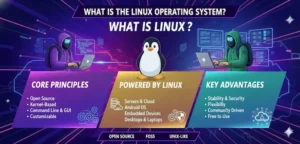
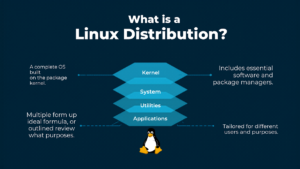
Linux distributions are among the most familiar examples of open-source operating systems. Although Linux technically refers to the kernel, complete distributions combine the kernel with system utilities, applications, package managers, libraries, and desktop environments. Different distributions can therefore provide very different experiences. Some are designed for beginners, while others target developers, system administrators, privacy-conscious users, or people with older hardware.
Key Features of Open-source operating systems
One of the defining characteristics of open-source operating systems is customisation. Users can often choose different desktop environments, applications, system tools, and configurations to create an experience suited to their preferences. Advanced users can make deeper changes to system components, while beginners can use graphical interfaces that require little technical knowledge. This flexibility makes open-source platforms useful across a remarkably broad range of computing situations.
Another important feature is software management. Many distributions provide package managers and centralised repositories that make installing and updating applications relatively straightforward. Open-source systems can also provide powerful command-line tools, multi-user support, networking capabilities, development environments, and extensive configuration options. These features are particularly valuable for programmers and technical professionals who need precise control over their computing environment and development workflow.
Benefits of Open-source operating systems
Cost is one of the most attractive benefits for many users. Numerous open-source operating systems can be downloaded and installed without paying a traditional licence fee. This can be especially useful for students, educational organisations, small businesses, and people who want to avoid expensive software upgrades. Some lightweight distributions can also help extend the useful life of older computers that may struggle with resource-heavy modern platforms.
Flexibility is another major advantage. Users are not necessarily dependent on a single vendor for every feature, update, or modification. Communities can create documentation, applications, fixes, and improvements that expand the capabilities of a platform. Open-source operating systems can also provide valuable learning opportunities because users can explore how software works beneath the graphical interface. For technology enthusiasts, that freedom can turn an ordinary computer into a powerful learning environment.
Popular Open-source operating systems to consider
Ubuntu is one of the best-known Linux distributions and is often considered a practical starting point for newcomers. It provides a polished desktop experience, extensive documentation, regular software updates, and access to a large community. Linux Mint is another popular option, particularly among users who prefer a familiar desktop layout. Its interface can make the transition from a traditional desktop operating system feel more comfortable for beginners.
Fedora is well suited to users interested in newer technologies, software development, and modern Linux features. Debian is widely respected for its stability and extensive software repositories, making it useful for both desktop and server environments. Arch Linux provides extensive control and customisation for experienced users who are comfortable configuring their systems. openSUSE is another capable choice, particularly for developers and administrators seeking a flexible Linux environment.
Open-source operating systems for different users
The ideal operating system depends heavily on what the user wants to accomplish. Beginners may benefit from a distribution with an intuitive graphical interface, straightforward installation, strong documentation, and an active support community. Developers may prioritise programming tools, package availability, terminal functionality, containers, and version-control software. Meanwhile, system administrators may focus more heavily on stability, automation, networking, security, and long-term maintenance.
Older computers can also benefit from carefully selected open-source distributions. Lightweight environments may use fewer system resources, allowing computers with limited memory or processing power to remain useful. Privacy-focused users may investigate distributions and applications that provide greater transparency and control over data. Businesses, meanwhile, may prioritise predictable updates, security support, compatibility with existing infrastructure, and professional assistance when selecting a suitable platform.
Security and privacy considerations
Security is an important consideration when evaluating open-source software. Because source code can be examined by developers and security researchers, vulnerabilities may receive attention from a broad community rather than relying entirely on one organisation. Transparent development can also help technically skilled users understand how individual components function. However, open-source availability does not automatically guarantee perfect security, and responsible system administration remains essential.
Users should keep their operating system and applications updated, obtain software from trustworthy repositories, use strong passwords, and enable appropriate security protections. Privacy should also be assessed carefully because an operating system’s privacy characteristics depend on its configuration, included services, and installed applications. The open-source model provides transparency, but users should still research a distribution and understand what data its software collects or communicates.
Open-source vs proprietary operating systems
Open-source and proprietary operating systems differ primarily in how their software is developed, licensed, and distributed. Proprietary platforms generally keep their source code private and are controlled by specific companies or organisations. Open-source platforms make source code available under licences that allow varying degrees of inspection, modification, and redistribution. These different models influence how users interact with the software and how developers can contribute to it.
Proprietary operating systems can offer strong commercial support, polished interfaces, and broad compatibility with popular commercial applications. Open-source alternatives can provide greater customisation, transparency, and freedom. Neither approach is automatically superior for every situation. Someone who depends on specialised commercial software may prefer a proprietary platform, while a developer, educator, or technically experienced user may appreciate the control and flexibility offered by an open-source environment.
How to choose the right Open-source operating system
Choosing the right platform begins with identifying your main computing requirements. Think about whether you primarily browse the internet, edit documents, programme software, play games, manage servers, study technology, or work with creative applications. Once your priorities are clear, you can compare distributions based on software availability, desktop design, hardware requirements, update policies, community support, and the amount of technical knowledge required for everyday use.
Hardware compatibility should also be checked before installation. Consider your processor, memory, storage, graphics hardware, Wi-Fi adapter, printer, and other connected devices. It is often sensible to test a distribution using a live USB environment or virtual machine before replacing an existing system. This approach allows you to explore the interface, check hardware functionality, and determine whether the available software meets your needs without immediately making permanent changes.
Advantages and challenges of using Open-source operating systems
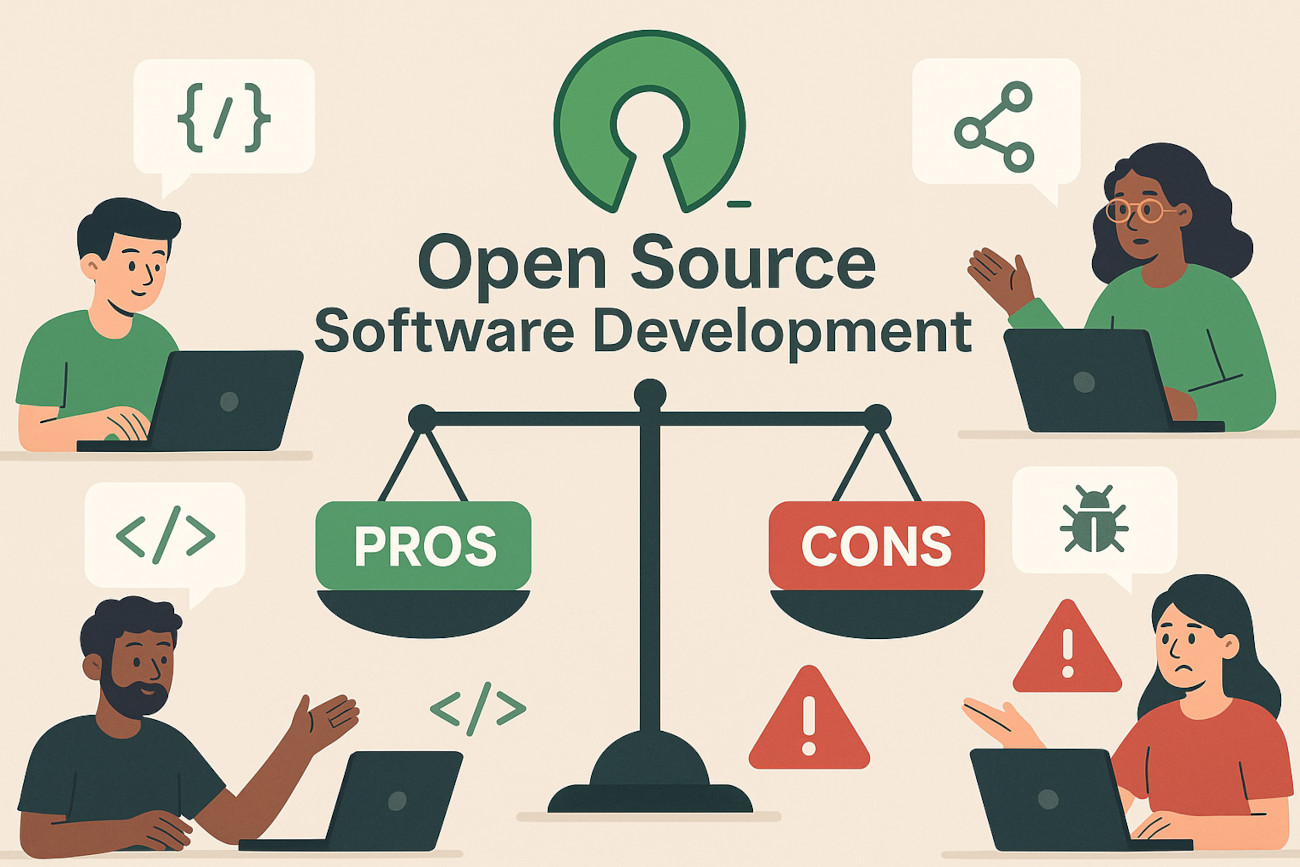
Open-source platforms offer several compelling advantages, including flexibility, customisation, potentially lower costs, community collaboration, and access to a wide selection of software. Users can choose from different distributions and desktop environments rather than accepting a single standard configuration. This variety is particularly useful for people who enjoy experimenting or need an operating system that can be adapted to a specific professional, educational, or personal workflow.
However, there can be challenges, especially for newcomers. Some commercial applications may not have native versions for every distribution, and certain hardware may require additional configuration. Users unfamiliar with command-line tools can also face a learning curve when troubleshooting technical issues. These difficulties can often be reduced by selecting a beginner-friendly distribution, checking compatibility before installation, using reliable documentation, and participating in established community forums.
The Future of Open-source operating systems
The future of open-source operating systems is closely connected with the wider development of modern computing. Open-source technologies already play an important role in servers, cloud infrastructure, programming, research, education, embedded devices, and many other technical environments. As organisations increasingly seek flexible and adaptable technology, open development models are likely to remain important. Community collaboration can also encourage experimentation without requiring every innovation to originate from one company.
Artificial intelligence, cybersecurity, cloud computing, privacy, and new hardware could create further opportunities for open-source platforms. Developers can collaborate on emerging technologies and build specialised solutions for changing requirements. For users, this continuing innovation means there may be more choices available in the future. Rather than being limited to one computing experience, people can select platforms that reflect their technical skills, hardware, privacy preferences, and everyday requirements.
Conclusion
Open-source operating systems provide a flexible alternative to traditional proprietary computing platforms. Their accessible source code, customisation options, collaborative development model, and wide range of available distributions make them suitable for beginners, developers, businesses, educators, and technology enthusiasts. From simple desktop environments to powerful server platforms, users can select a system that matches their particular goals and technical requirements.
Choosing the right option requires more than simply selecting the most popular distribution. Hardware compatibility, software support, security, usability, update policies, community assistance, and personal experience should all be considered before installation. By carefully comparing these factors, users can discover an operating system that provides the right balance of performance, control, simplicity, and flexibility for their computing needs.
Frequently Asked Questions about Open-source operating systems
Open-source operating systems are available in many forms, so beginners often have questions before deciding whether to make the switch. The most important considerations usually involve cost, security, software compatibility, hardware requirements, and ease of use. Understanding these areas can make the selection process less confusing and help users avoid choosing a distribution that does not suit their everyday requirements.
There is no universal choice that works perfectly for everyone. A beginner may prefer a straightforward desktop distribution, while a developer could require powerful programming tools and advanced configuration options. Similarly, an older computer may need a lightweight environment, whereas a modern workstation could support a feature-rich desktop. Evaluating individual requirements is therefore more useful than relying solely on popularity or online recommendations.
Are Open-source operating systems free?
Many open-source operating systems can be downloaded and used without paying a traditional software licence fee. This is one reason they are attractive to students, home users, educational institutions, and small organisations. However, free availability does not necessarily mean that every related service is free. Some projects and companies may offer paid technical support, managed services, enterprise tools, or professional assistance.
Are Open-source operating systems safe?
Open-source software can provide strong security benefits because its source code can be inspected and reviewed by developers and security researchers. However, security depends on more than the development model. Users should install updates, use trusted software repositories, maintain secure passwords, and configure their systems appropriately to reduce potential risks.
Can Open-source operating systems replace Windows?
For many users, an open-source platform can replace Windows for everyday activities such as web browsing, email, office work, programming, media consumption, and many gaming tasks. However, compatibility varies between applications. Anyone who relies on specialised Windows-only software should investigate alternatives or compatibility solutions before completely replacing their existing operating system.
Which Open-source operating system is best for beginners?
Beginner-friendly distributions typically focus on simple installation, intuitive graphical interfaces, accessible software management, and extensive documentation. Ubuntu and Linux Mint are commonly considered approachable choices because they provide familiar desktop experiences and large user communities. Nevertheless, the best option depends on the user’s hardware, software requirements, and willingness to learn a new computing environment.
Can I use Open-source operating systems for gaming?
Gaming support has improved significantly, particularly for Linux-based platforms. Many games can run successfully using native releases or compatibility technologies, but support is not universal. Players should check their favourite games, launchers, graphics hardware, and anti-cheat requirements before switching. A small amount of research can help determine whether a particular distribution will provide the desired gaming experience.
How do I choose the best Open-source operating system?
Start by identifying what you need from your computer and then compare suitable distributions based on hardware support, software availability, usability, security, update policies, and community resources. Beginners should generally avoid choosing a system solely because it offers extensive customisation. A distribution that is easy to maintain and supports your applications can often provide a much better long-term experience.