Introduction to Mobile Utilities
Smartphones have evolved far beyond simple communication devices. Today, they help people organise schedules, manage files, calculate figures, scan documents, monitor performance and complete countless everyday tasks. Mobile utilities make these activities faster and more convenient by bringing practical tools directly to a device that most people carry throughout the day.
The best mobile utilities are designed to solve specific problems without creating unnecessary complexity. Whether you need to organise documents, set reminders, check the weather or protect personal information, the right utility can make your smartphone considerably more useful. Understanding the different categories can help you select tools that genuinely improve your daily digital experience.
What Are Mobile Utilities?
Mobile utilities are applications and built-in smartphone tools designed to perform practical functions rather than primarily provide entertainment. They can help users calculate measurements, manage storage, scan paperwork, organise information, monitor connections and complete other routine tasks. Many smartphones already include several utilities, while app stores provide additional options for specialised needs.
A useful utility should make a particular task easier, quicker or more efficient. Instead of searching for a separate physical device or opening a complicated computer programme, users can often complete the same job from their phone. This convenience explains why mobile utilities have become an important part of everyday smartphone use.
Essential Mobile Utilities for Everyday Tasks
Everyday smartphone users can benefit from a wide range of practical tools. File managers help organise downloaded documents, photographs and other files, while calculator and conversion tools can handle quick calculations. Notes, reminders and calendar applications are also valuable for keeping appointments, ideas, shopping lists and important tasks organised throughout a busy day.
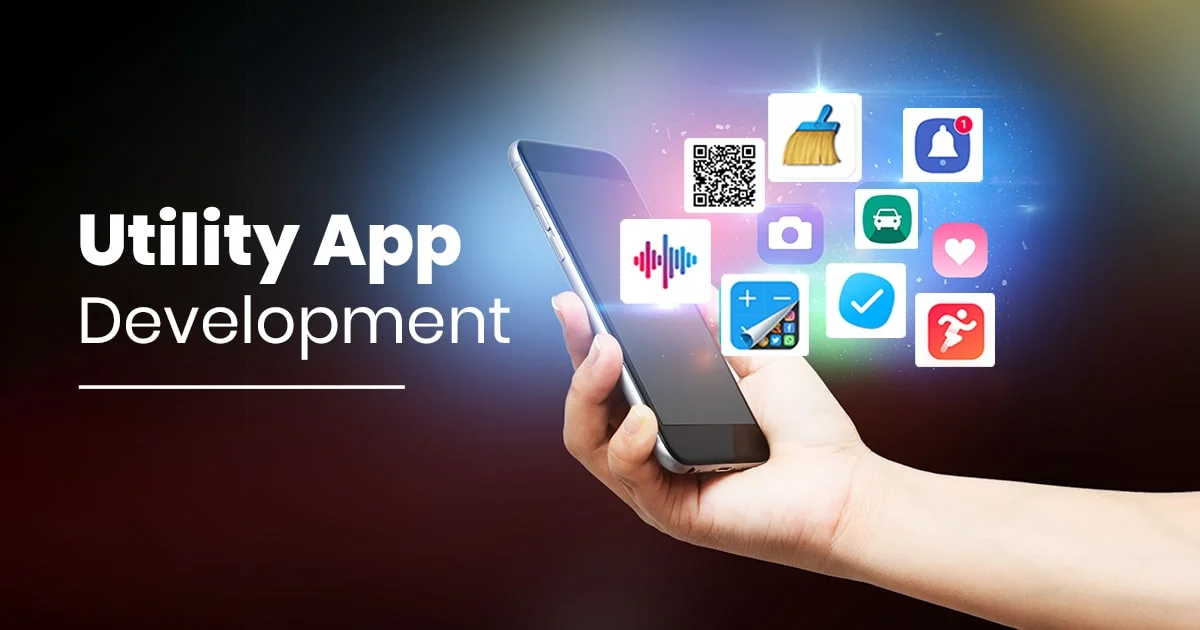
Other useful options include QR scanners, document scanners, clocks, timers, stopwatches and weather tools. These functions may appear simple, but they can save considerable time when used regularly. Many are already integrated into modern smartphones, meaning users may not need to install an additional application for basic everyday requirements.
Mobile Utilities for Productivity and Organisation

Productivity-focused tools can transform a smartphone into a portable organisation centre. Task managers allow users to create to-do lists, while calendar applications provide an overview of meetings, appointments and important dates. Note-taking tools are useful for capturing ideas quickly, particularly when users need to record information while travelling or away from a computer.
Cloud storage and document utilities can also make work more flexible. Users can access important files across compatible devices, read documents and share information without relying entirely on desktop computers. When selecting productivity tools, it is sensible to focus on applications that provide genuinely useful features rather than installing several apps that perform almost identical functions.
Mobile Utilities for Security and Privacy
Security is another important area where mobile utilities can provide practical assistance. Password managers can help users organise strong credentials, while authentication applications can add another layer of protection to supported accounts. Device-finding features can also be valuable if a smartphone is misplaced, helping users locate or secure the device remotely when the necessary services are enabled.
Privacy deserves equal attention when installing any application. Users should examine the permissions requested by a utility and consider whether those permissions are necessary for its stated purpose. Downloading applications from reputable app stores, keeping software updated and removing unfamiliar tools can reduce avoidable security risks while maintaining a cleaner digital environment.
Mobile Utilities for Device Performance
Smartphones constantly accumulate photographs, videos, documents, downloads and application data. Storage-management utilities can help users identify large files and decide what can be removed or transferred. Battery-monitoring features can also provide useful information about power consumption, helping users understand which applications or settings may be affecting battery life.
Network and system-monitoring tools can be helpful when troubleshooting connectivity or checking device information. However, users should remain cautious about applications that promise dramatic performance improvements through vague cleaning or boosting features. In many cases, built-in smartphone settings already provide sufficient tools for managing storage, permissions, battery usage and other basic maintenance tasks.
How to Choose the Right Mobile Utilities
Choosing a useful application involves more than looking at its download count or star rating. Users should consider the developer’s reputation, recent reviews, update history, privacy practices and compatibility with their device. A well-designed utility should have a clear purpose and provide useful functionality without demanding unnecessary access to personal information.
Cost is another consideration. Some utilities are completely free, while others use subscriptions, advertising or one-off purchases. Before installing an app, check whether important features are restricted behind a payment. It is also worth considering accessibility and ease of use, because a powerful application has limited value if its interface makes simple tasks unnecessarily difficult.
Mobile Utilities for Android and iPhone Users
Android and iPhone users have access to extensive collections of practical applications, although their built-in features and system environments differ. Android devices often provide considerable customisation and file-management flexibility, while iPhones offer tightly integrated system features designed around Apple’s software ecosystem. The ideal utility therefore depends on the device as well as the user’s individual requirements.
Both platforms provide official app stores where users can find tools for productivity, organisation, security, scanning, calculations and other everyday needs. Before downloading a third-party application, users should check whether their smartphone already provides the required function. Avoiding duplicate tools can save storage space and reduce unnecessary notifications and background activity.
Benefits of Using Mobile Utilities
One of the greatest advantages of mobile utilities is convenience. A smartphone can combine dozens of practical functions in a single portable device, allowing users to calculate figures, manage documents, set reminders and perform other tasks almost anywhere. This reduces dependence on separate physical tools and makes routine activities easier to handle.
Well-selected utilities can also improve organisation and productivity. Instead of keeping information scattered across notebooks, files and different devices, users can centralise many everyday activities on their smartphones. The key is choosing quality over quantity. A small collection of reliable tools can be more useful than filling a phone with applications that are rarely opened.
Common Mistakes to Avoid When Using Mobile Utilities
Installing too many applications is one of the most common mistakes smartphone users make. Several apps may offer nearly identical functions while consuming storage, generating notifications or requesting permissions. Before installing a new utility, consider whether an existing application or built-in smartphone feature can already complete the task effectively.
Users should also avoid downloading utilities from unknown websites or ignoring privacy permissions. Outdated applications can create compatibility and security concerns, so keeping essential software updated is sensible. Regularly reviewing installed apps and deleting tools that are no longer useful can help maintain a more organised, efficient and manageable smartphone.
Future of Mobile Utilities
The future of mobile utilities is likely to become increasingly intelligent and automated. Artificial intelligence can help applications understand user behaviour, automate repetitive activities and provide more personalised assistance. Instead of requiring users to manually manage every small task, future tools may anticipate common needs and connect information across different smartphone functions.
Integration with wearables, cloud services and other connected devices is also expanding the role of smartphone utilities. As these technologies develop, users may rely on fewer separate applications because individual tools can combine multiple functions. Privacy and security will remain important considerations as utilities become more capable and gain access to increasingly valuable personal information.
Conclusion: Making Everyday Tasks Easier with Mobile Utilities
Mobile utilities have become essential companions for modern smartphone users because they turn ordinary devices into practical tools for work, organisation, communication and daily problem-solving. From calculators and file managers to security and productivity applications, these tools can save time while making routine activities more manageable.
The best approach is not to install every available utility but to select reliable applications that meet genuine needs. By checking permissions, reviewing privacy practices, considering costs and removing unnecessary apps, users can build a useful smartphone toolkit. With thoughtful choices, mobile utilities can make everyday smartphone tasks simpler, faster and more efficient.
Frequently Asked Questions About Mobile Utilities
What are mobile utilities?
Mobile utilities are smartphone applications or built-in tools that perform practical functions such as calculations, file management, scanning, scheduling, device monitoring and organisation. They are designed to help users complete everyday tasks efficiently rather than primarily providing entertainment.
What are the most useful mobile utilities?
Useful options include calculators, file managers, note-taking tools, calendars, reminders, document scanners, QR scanners, weather applications, password managers and storage-management tools. The most valuable choices depend on individual needs and how a smartphone is used.
Are mobile utilities available on both Android and iPhone?
Yes. Both Android and iPhone devices support a broad selection of utility applications. However, some features differ between operating systems, and certain functions may already be available as built-in tools, reducing the need for third-party applications.
Are mobile utilities safe to use?
Many are safe when downloaded from reputable app stores and developed by trustworthy companies. Users should still review permissions, privacy information, developer details and recent reviews before installation, particularly when an application requests access to sensitive information.
Do mobile utilities slow down a smartphone?
Poorly designed or unnecessary applications can consume storage, battery power or background resources. Keeping only useful applications installed and using built-in device-management features where possible can help maintain a cleaner and more responsive smartphone.
Can mobile utilities improve smartphone productivity?
Yes. Task managers, calendars, note-taking tools, document applications and cloud-storage services can help users organise information and complete tasks more efficiently. The greatest benefit comes from selecting tools that fit an individual’s workflow.
Should I pay for premium mobile utilities?
A paid utility may be worthwhile when it offers valuable features, stronger privacy, better support or an improved experience. However, users should compare free alternatives and carefully review subscription terms before committing to recurring payments.
How do I choose the best mobile utilities for my phone?
Consider the application’s purpose, developer reputation, privacy practices, permissions, compatibility, reviews, update frequency and cost. A good utility should solve a genuine problem without adding unnecessary complexity or demanding excessive access to personal information.
Are built-in smartphone utilities better than third-party apps?
Built-in utilities often provide strong integration with the operating system and may require fewer permissions. Third-party applications can offer specialised features and greater functionality. The better choice depends on the task, required features, privacy expectations and personal preferences.