Introduction to Online Software Platforms
The way people use technology has changed dramatically over the past decade. Online software platforms now make it possible to access powerful digital tools without relying entirely on traditional computer installations. From business management and communication to accounting, design and project planning, these services provide practical solutions through an internet connection. Their flexibility makes them useful for companies, freelancers, students and individuals who want convenient access to modern software.
The popularity of cloud technology has also made digital work more connected than ever. Instead of saving everything on one computer, users can often store information online and access it from different devices. Online software platforms can simplify collaboration, reduce maintenance and support remote working. However, choosing the right service requires an understanding of its features, pricing, security, reliability and suitability for a particular purpose.
What Are Online Software Platforms?
Online software platforms are digital applications or services that users can access through an internet browser or connected device. Rather than depending completely on software installed on a single computer, these platforms commonly use remote servers and cloud infrastructure to provide their features. Users usually create an account, sign in and access their tools, files and settings whenever required, provided that the service and their internet connection are available.
This model is closely associated with cloud computing and software-as-a-service technology. The provider normally manages servers, updates, maintenance and much of the technical infrastructure behind the service. This allows users to concentrate on their work rather than dealing with complicated installations. Depending on the provider, access may be free, subscription-based or linked to usage, making online services suitable for different budgets and requirements.
How Online Software Platforms Work
When someone accesses an online platform, their browser or application communicates with remote servers that host the required software and information. A request is sent to the provider’s infrastructure, where it is processed before the result is displayed to the user. Data can then be saved online, allowing users to continue working without keeping every document or project exclusively on their local device.
Cloud-based infrastructure also enables information to synchronise between supported devices. For example, a user might begin editing a document on a desktop computer and later continue from a smartphone or tablet. The exact experience depends on the platform and its offline capabilities. Strong server performance, reliable connectivity, effective data management and suitable security systems all contribute to a dependable online software experience.
Key Features of Online Software Platforms
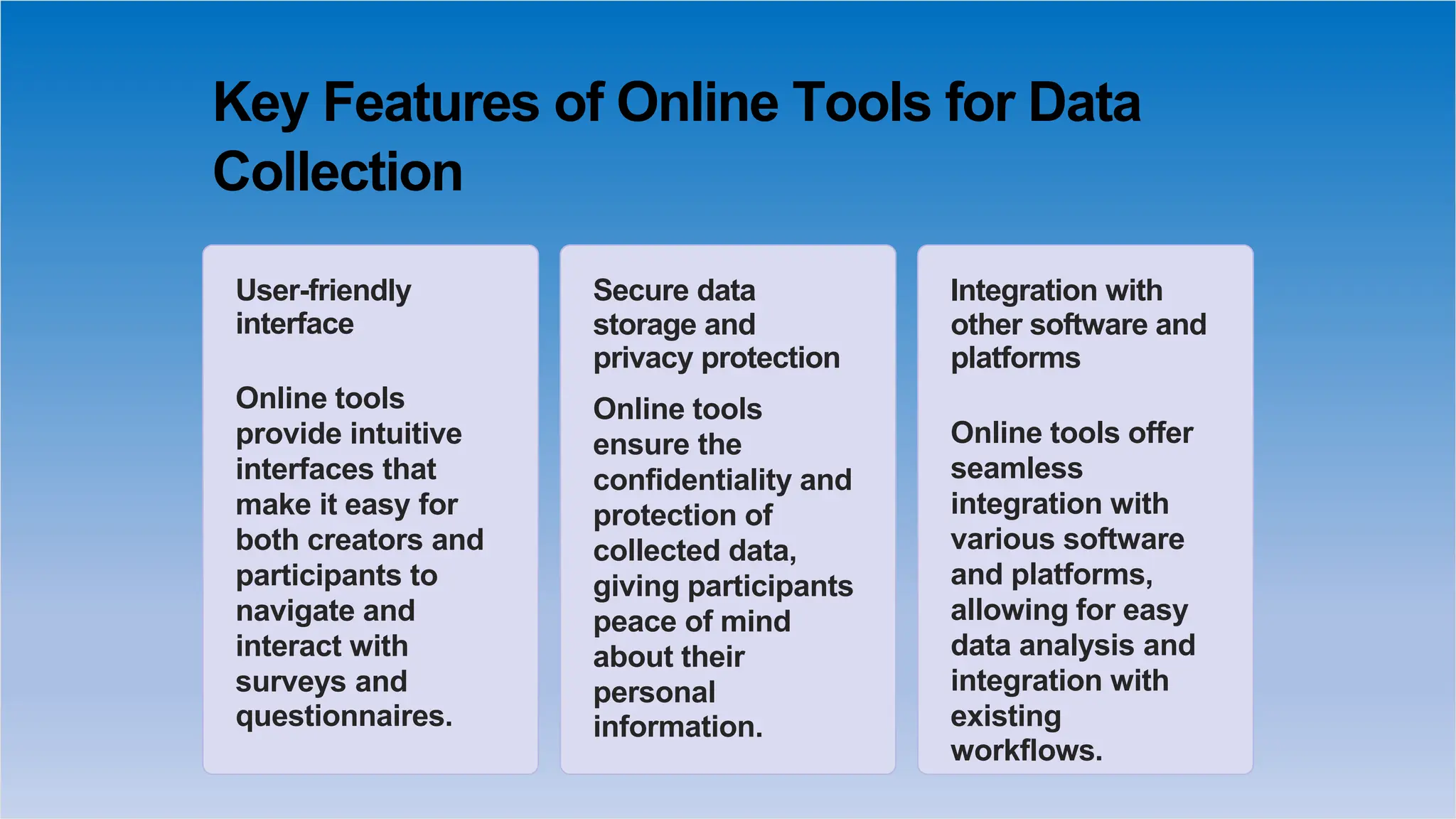
One of the most valuable features is accessibility. Users can often reach their accounts from different locations and compatible devices, which is particularly helpful for remote workers and businesses with distributed teams. Cloud storage and automatic synchronisation can also reduce the need to send files between colleagues manually. Many services provide dashboards, notifications, search tools and account management features to make everyday tasks more organised.
Collaboration is another important feature found across many modern platforms. Several users may be able to view, edit or manage shared information at the same time. Depending on the service, other features may include automation, analytics, integrations, permission controls and reporting tools. Security features such as multi-factor authentication and encrypted connections can provide additional protection, although users should always examine a provider’s security practices before trusting it with sensitive information.
Benefits of Online Software Platforms
Accessibility is one of the biggest advantages of online software platforms. Employees can access work resources outside the traditional office, while freelancers can manage projects from different locations. Students can also use online educational resources without being tied to a particular computer. This flexibility can make everyday digital tasks more convenient and can support modern working arrangements where people move between offices, homes and other environments.
Another significant advantage is reduced maintenance. Providers generally manage software updates and much of the technical infrastructure, meaning users do not have to install every update themselves. Businesses can also scale their usage as their requirements change. Subscription models may provide access to sophisticated tools without a large initial investment, although companies should compare long-term costs carefully before deciding whether a particular service offers genuine value.
Types of Online Software Platforms
There are numerous categories designed to solve different digital problems. Productivity platforms can support documents, spreadsheets and presentations, while project management services help teams organise tasks, deadlines and responsibilities. Communication platforms can support messaging and meetings, and customer relationship management systems help businesses organise customer details, sales activities and interactions. These different categories allow users to select tools based on their particular professional or personal requirements.
Other common categories include accounting, invoicing, marketing, graphic design, e-commerce, education, payroll and website management. Some services focus on one specialised function, while larger platforms combine several features within a single ecosystem. Understanding the main purpose of a service before subscribing can prevent unnecessary spending. The best option is usually the one that solves a specific problem effectively without adding complicated features that users rarely need.
Common Uses of Online Software Platforms
Businesses use online software for many everyday operations. Teams can collaborate on documents, communicate with colleagues, track projects, manage customer relationships and monitor financial information. Marketing departments can organise campaigns and analyse performance, while managers can use dashboards to understand important business activities. Connecting these functions can create smoother workflows and reduce the amount of repetitive administration involved in daily operations.
Individuals can benefit in equally practical ways. Freelancers may use digital services to manage clients, invoices and deadlines, while students can organise assignments and collaborate on projects. Content creators can access design and editing tools, and online sellers can manage products and customer information. The flexibility of web-based services means users can select specialised tools according to their needs rather than relying on one programme for every task.
Online Software Platforms for Businesses
Businesses of all sizes can benefit from adopting suitable digital services. Small companies can gain access to professional tools without purchasing extensive hardware or maintaining complicated internal systems. Larger organisations can use centralised platforms to manage teams, permissions, documents and workflows. When employees can access relevant information through connected systems, communication may become more efficient and teams can spend less time searching for files or repeating administrative tasks.
Scalability is particularly important for growing organisations. A company may begin with a small team and gradually require additional accounts, storage or advanced features. The right service should be capable of adapting to these changes without creating unnecessary disruption. Businesses should also examine pricing, security, data ownership, integration options, customer support and reliability before moving important operations to a cloud-based platform.
Online Software Platforms for Remote and Hybrid Work
Remote and hybrid working have increased demand for software that supports collaboration from different locations. Employees need reliable methods for sharing documents, communicating with colleagues, managing projects and accessing essential information. Online software platforms can provide a central digital environment where teams work together without being physically present in the same office, making them an important part of many modern workplace strategies.
However, simply adopting several digital services does not guarantee productive remote work. Organisations should establish clear permissions, secure login procedures and sensible communication practices. Too many applications can create confusion, duplicate information and excessive notifications. A carefully selected collection of connected tools is generally more useful than a large collection of unrelated services. Training employees and reviewing workflows can also help teams gain more value from their chosen software.
How to Choose the Right Online Software Platform
The selection process should begin with a clear understanding of the problem that needs to be solved. Businesses and individuals should identify essential tasks, required features, expected users and available budgets before comparing providers. It is easy to be distracted by impressive dashboards or long feature lists, but unnecessary functionality can increase costs and make a platform harder to use. Practical usefulness should therefore remain the main priority.
Security, integrations and scalability also deserve careful attention. Check whether the service works with existing applications and whether data can be exported if you eventually change providers. Examine customer support, pricing tiers and user reviews where appropriate. A free trial can be particularly valuable because it allows users to test the interface and workflow before making a long-term commitment. Comparing several suitable options can lead to a more informed decision.
Security and Privacy Considerations
Security is essential when information is stored or processed online. A reputable provider should use appropriate measures to protect accounts and data, such as encryption, secure authentication and access controls. Users should understand how their information is stored and processed before uploading confidential documents. Businesses handling customer or financial information should pay particular attention to privacy policies, account permissions and regulatory responsibilities relevant to their operations.
Users can also improve security through simple everyday practices. Strong and unique passwords should be used for important accounts, while multi-factor authentication can provide another layer of protection where available. Devices should remain updated, and unnecessary user permissions should be removed. Businesses should also consider backups and recovery procedures so that important information remains accessible if an account problem, technical failure or service interruption occurs.
Challenges and Limitations of Online Software Platforms
Despite their convenience, online services have certain limitations. Many depend heavily on internet connectivity, so slow or unreliable connections can interrupt access to important tools. Subscription costs can also increase when organisations add more users or require premium features. Some providers may also make it difficult to move information elsewhere, creating a form of vendor dependence that businesses should consider before adopting a service.
Privacy and service reliability are other potential concerns. An unexpected outage can temporarily prevent users from accessing essential resources, while poor integration can create additional manual work. These risks can be reduced through careful planning. Organisations should examine export options, maintain appropriate backups, review provider reliability and avoid depending entirely on one service for critical operations. A balanced technology strategy can provide flexibility while reducing unnecessary exposure to disruption.
Online Software Platforms vs Traditional Software
Traditional software is generally installed directly on a computer, whereas online software is commonly accessed through a browser or connected application. Desktop programmes may offer strong offline functionality and can be useful when users work with specialised applications or powerful local hardware. Online services, however, often provide greater flexibility, easier collaboration and convenient access from multiple supported devices.
The two approaches also differ in how updates and maintenance are handled. Traditional applications may require users to download updates, manage installations and organise local files. Online services usually centralise much of this responsibility with the provider. Neither model is automatically suitable for every user. The best choice depends on factors such as internet availability, security requirements, workflow preferences, budget and the type of work being completed.
Future of Online Software Platforms
Artificial intelligence and automation are expected to play an increasingly important role in the future of online software. AI-powered features can already assist with writing, analysis, organisation and repetitive tasks across different services. As these technologies develop, digital platforms may become better at understanding user behaviour and automatically completing routine processes. This could allow professionals to spend more time on strategic and creative responsibilities.
Greater integration is another important trend. Instead of switching between disconnected applications, users may increasingly work within connected digital ecosystems where information moves between services automatically. Low-code development, intelligent analytics and personalised interfaces could further expand what online tools can accomplish. As organisations continue adopting flexible working practices, accessible and connected software is likely to remain an important part of modern business and personal productivity.
Conclusion: Choosing the Right Online Software Platform
Online software platforms have transformed the way people access, manage and use digital tools. Their combination of accessibility, collaboration, cloud storage and scalability makes them valuable for businesses, freelancers, students and everyday users. From managing projects and customers to creating content and organising finances, these services can simplify many activities that once depended on locally installed software and physical infrastructure.
However, choosing the right solution requires more than selecting a popular service. Users should evaluate features, pricing, security, integrations, usability, reliability and future requirements. Testing potential options before making a long-term commitment can reveal whether a platform genuinely fits a particular workflow. With careful planning, online software can become a practical foundation for more flexible, organised and productive digital work.
FAQs About Online Software Platforms
What are online software platforms?
Online software platforms are digital applications or services that users can access through the internet, commonly using a web browser or mobile application. They often rely on cloud infrastructure to deliver software features and store information. This approach allows users to access their accounts and work from different compatible devices without installing every component locally.
They are used across many areas, including business management, communication, accounting, education, design, marketing and project management. Some services are free, while others operate through monthly or annual subscriptions. The right option depends on the user’s requirements, budget, preferred features and security expectations.
What are the main benefits of online software platforms?
The main benefits include flexibility, accessibility, collaboration and convenient data management. Users can often access their information from different locations, while teams can work together on shared projects. Automatic updates can also reduce the maintenance burden associated with traditional software installations, making digital tools easier to manage.
For businesses, these advantages can support remote working, scalability and improved workflows. Individuals can use online services to organise personal projects, education or freelance work. However, benefits vary between providers, so users should compare features, reliability, security and pricing before choosing a particular service.
Are online software platforms safe to use?
Online software can be safe when reputable providers use appropriate security practices and users maintain strong account protection. Features such as encryption, multi-factor authentication, secure access controls and regular backups can help protect information. Users should also review privacy policies to understand how their data is handled and stored.
Security is a shared responsibility rather than something provided entirely by the software company. Users should create strong passwords, avoid sharing account credentials and keep their devices updated. Businesses should additionally review employee permissions and establish procedures for protecting confidential information.
Do online software platforms require an internet connection?
Most online services require an internet connection for full functionality because their software and data are commonly hosted on remote servers. If the connection becomes unavailable, users may lose access to certain features or information. The effect depends on how the individual service has been designed and whether it supports offline functionality.
Some modern platforms provide offline modes that allow users to continue selected tasks without an active connection. Changes can then synchronise once the device reconnects. Before choosing a service, users who frequently work without reliable internet should specifically check its offline capabilities.
How can I choose the best online software platform?
Start by identifying the main task or business problem you want the software to solve. Make a list of essential features, expected users and budget requirements. Then compare suitable providers based on ease of use, integrations, security, customer support, pricing and scalability rather than choosing purely because a service is popular.
Testing a free trial can help determine whether the platform fits your workflow. It is also sensible to check data export options and cancellation terms before subscribing. A carefully evaluated service can provide long-term value while reducing the risk of unnecessary costs or difficult migration later.